Hi all,
I've got some weird behavior in a table tool output that I'm not sure how to remedy. Let me show you the output:

It seems that for my numerical fields, it is keeping the number of leading digits used above for my total line. It gets worse when the two numbers being compared are even closer:

The data being used to create the table doesn't have these, so it must be the table tool doing it:
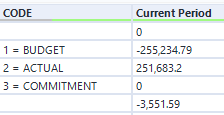
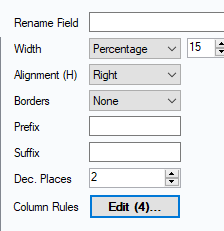
I don't see any settings in this column configuration which would cause it:
And my column styling rules don't have anything either.
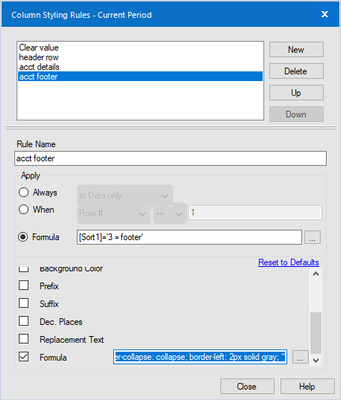
It isn't doing to the "3 = COMMITMENT" detail number in my amounts, so I'm sure I did something but I can't figure out what. The only settings that affect that footer row is the style formula:
"border-collapse: collapse; border-left: 2px solid gray; "
Any ideas?


